
How to Check If Your WordPress React Components Are Actually Indexed
You've set up SSR for your React components in WordPress. Content should be indexable. But how do you actually verify that Google can see it?
Many teams skip this step and assume SSR is working. Then months later they notice component content isn't ranking, and the fix is harder to find. For the complete guide, see React Components in WordPress with Full SEO Support.
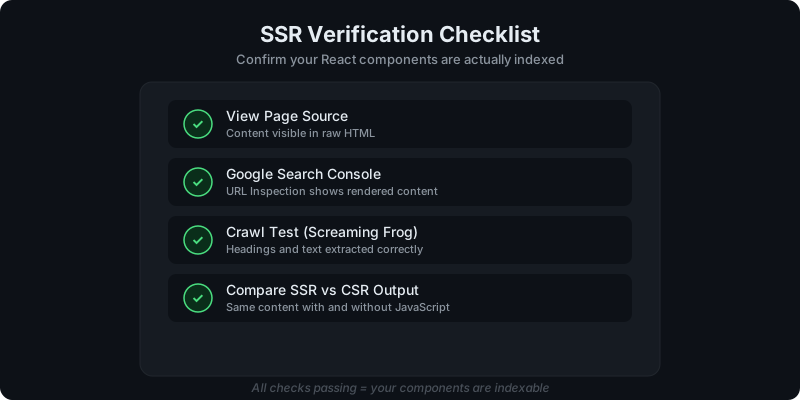
Direct answer: how do you verify indexability?
Run four checks, in order:
- View page source -- is the content in raw HTML?
- Google Search Console URL Inspection -- does Google see it?
- Crawl with Screaming Frog -- can automated crawlers extract it?
- Compare SSR vs CSR output -- is content present with JS disabled?
If all four pass, your components are indexable.
Check 1: View page source
This is the fastest diagnostic. Right-click the page and select "View Page Source" (not Inspect Element -- that shows the DOM after JS runs).
Look for your component's content in the raw HTML:
- headings, text, and structured data from the component
- the content should appear before any
<script>tags execute
If you see a placeholder <div> with no content inside, SSR is not producing output for that component.
For background on why this matters: CSR vs SSR in WordPress: When to Use Each.
Check 2: Google Search Console URL Inspection
Search Console shows you exactly what Google sees:
- Go to Google Search Console for your property
- Enter the page URL in the top search bar
- Click "Test Live URL"
- Review the "HTML" tab in the rendered result
What to look for:
- your component's headings and text should appear in the rendered HTML
- if the HTML tab shows empty containers where components should be, Google is not seeing that content
This is the most authoritative check because it reflects Google's actual rendering.
Check 3: Crawl with Screaming Frog (or similar)
Screaming Frog crawls your site and extracts what it finds in the HTML response (before JavaScript execution by default).
Set up a crawl of the relevant pages and check:
- H1/H2 columns -- do they include headings from your React components?
- Word count -- does the page have the content you expect?
- Rendered page -- switch to JavaScript rendering mode and compare
If content only appears in JS-rendered mode but not in the static HTML crawl, your SSR isn't producing that content.
Check 4: Compare SSR vs CSR output
This is the definitive test. Load the page two ways:
With JavaScript enabled (normal)
The page should look complete with all interactive features working.
With JavaScript disabled
In Chrome: Settings > Site Settings > JavaScript > disable for your domain. Reload the page.
If SSR is working correctly, the core content (headings, text, pricing, FAQs) should still be visible. Interactive elements (filters, tabs, calculators) may not work, but the content that needs to rank should be present.
Re-enable JavaScript when done.
What to do when a check fails
Content missing from view-source
Your component may not be SSR-safe. Common causes:
- using
window,document, orlocalStorageduring the server render - a dependency that requires browser APIs
- the component is being rendered client-side only
See: How to Use AI-Generated React Components in WordPress Safely for SSR-safe component guidelines.
Search Console shows different content than expected
Check if:
- the page has caching that serves different content to crawlers
- SSR output changes between versions (versioning issue)
- the component was recently updated and Google hasn't re-crawled yet
Request a re-crawl in Search Console and check again after a few days.
Screaming Frog extracts partial content
Verify that SSR is rendering the full component, not just a loading state. Some components render a skeleton server-side and fill in content client-side -- that defeats the purpose of SSR for SEO.
How often should you verify?
Run the full checklist:
- after deploying a new component
- after updating a component version
- when SEO traffic drops unexpectedly
- quarterly as a routine audit
For versioning and rollback context: How Versioning Works for React Components in WordPress.
Get SSR rendering for your React components with WP Render Blocks.
FAQ
Does Google render JavaScript for indexing?
Google does render JavaScript, but with delays and limitations. SSR removes the dependency on Google's rendering pipeline. Content in the initial HTML is indexed faster and more reliably.
Can I automate these checks?
Yes. You can script view-source checks and compare against expected content. Screaming Frog supports scheduled crawls. Search Console API can pull inspection data programmatically.
What about Bing and other search engines?
The same principles apply. View-source checks work universally. Bing Webmaster Tools has a similar URL inspection feature. SSR benefits all crawlers, not just Google.
Summary
Verifying that your React components are indexed is a four-step process: view-source, Search Console, crawl testing, and SSR vs CSR comparison. Run these checks after every deployment and periodically as an audit. If content isn't in the initial HTML, it's not reliably indexed.