
Build a Pricing Table in WordPress That Stays Indexable (Even With React)
Pricing pages are some of the highest-intent pages on any WordPress site.
But they're also easy to accidentally make non-indexable if the pricing content only appears after JavaScript.
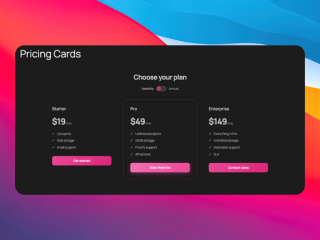
What you can build with this
- a reusable pricing table block (3–5 tiers)
- a “feature comparison by tier” section
- pricing FAQs optimized for snippets
AI prompt (copy/paste)
Paste this into your favorite UI/UX builder (Lovable, v0, Cursor, Claude):
You are a senior frontend engineer.

Build a production-ready React component for WordPress that I can upload as a ZIP to WP Render Blocks.

Component: SEO-friendly pricing table (tiers) that renders as HTML (SSR).

Requirements:
- One TSX component with a default export.
- SSR-safe: no window/document/localStorage during render.
- Render all tier names and key bullets as HTML in the initial render.
- Props (TypeScript) should support:
  - heading (string)
  - subheading (string)
  - tiers: Array<{
      name: string;
      price: string;
      priceNote?: string;
      highlight?: boolean;
      bullets: string[];
      ctaLabel?: string;
      ctaUrl?: string;
    }>
  - layout: "grid" | "stack"
- Accessibility: button/links with clear labels; good heading structure.
- Styling: Tailwind classes only; looks good on mobile; no external images.
- No external network calls.

Deliverables:
- `PricingTable.tsx` (default export)
- minimal `package.json` (prefer zero deps)
- Example props JSON with 3 tiers.
Direct answer: what makes a pricing table indexable?
The core pricing content should exist as HTML in page source on pages you want indexed:
- tier names
- key features
- pricing ranges
- primary CTA labels
If those are only rendered client-side, you introduce SEO uncertainty.
Step 1: Decide what is “content” vs “interaction”
Treat these as content (SSR):
- tier names
- feature bullets
- short descriptions
Treat these as optional interaction (hydrate only if needed):
- monthly/yearly toggle UI
- currency selector
- interactive calculator
Step 2: Keep the tier structure stable
For SEO and clarity, stable tier structure wins:
- consistent number of tiers
- consistent feature categories
- short, specific feature bullets
Step 3: Add a pricing FAQ underneath
Common high-intent pricing questions:
- “Is there a free trial?”
- “Can I cancel anytime?”
- “What happens if I exceed limits?”
- “Do you offer refunds?”
FAQ guide: Build an SEO-Friendly FAQ Section in WordPress.
Step 4: Render as HTML for indexable pages (SSR)
If the pricing page should rank, the table should render as HTML in page source.
See: Server-Side Rendering (SSR) for WordPress: Why It Matters for SEO.
If your pricing page also includes a lead capture flow, see how to build a multi-step form in WordPress with React.
Common mistakes
Mistake: rendering the entire table after JS
If the table is “blank until hydration,” the page becomes harder to audit and less reliable for indexing.
Mistake: vague feature bullets
“Unlimited features” doesn’t help users. Use concrete bullets that match real objections.
FAQ
Should I include exact pricing numbers?
If you have stable pricing, yes. If pricing varies, consider ranges and clear qualifiers.
Can I reuse the pricing component across multiple sites?
Yes, just make sure each site’s pricing page has unique supporting copy (use cases, FAQs) to stay relevant.
For an overview of the full workflow, see how to use React components in WordPress with SEO support.
Summary
Pricing pages can rank and convert when they're:
- indexable as HTML
- clear about tradeoffs
- supported by a strong FAQ section