
How to Share React Components Across Multiple WordPress Sites
Sharing components across multiple WordPress sites is where most “build once, reuse everywhere” promises break down.
The hard parts aren’t React. They’re operations:
- who can publish updates?
- which site gets which version?
- how do you roll back safely?
- how do you avoid leaking access between client sites?
This guide outlines a practical model that agencies can actually run.
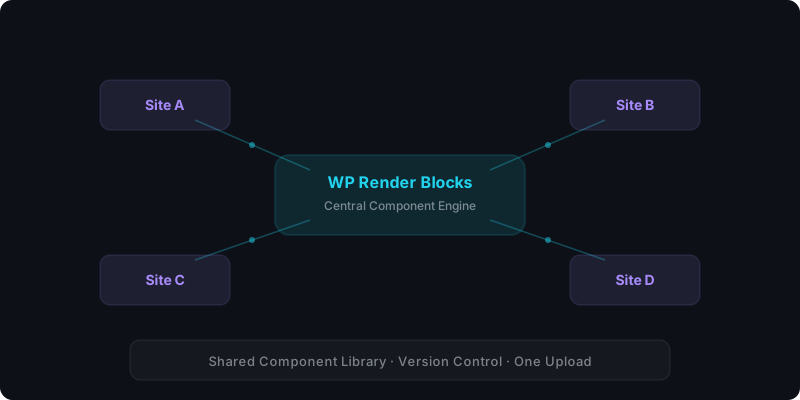
Direct answer: what’s the safest multi-site model?
Use:
- one component library
- per-site credentials
- version controls (active vs pinned)
- an audit trail and usage tracking
That creates a predictable system where “reuse” doesn’t mean “shared blast radius.”
Learn how agencies use WP Render Blocks to manage components across client sites.
Why agencies get stuck here
If you ship the same UI across multiple sites without governance, you'll hit:
- accidental breaking changes
- clients on different timelines
- ad-hoc “just update it everywhere” requests
- unclear ownership (“who deployed this?”)
The solution is not more code. It’s a release and access model.
Step 1: Connect each WordPress site with its own credentials
Per-site credentials create isolation:
- you can revoke access for one site without affecting others
- you can rotate credentials
- you can attribute requests/usage by site
For setup details, see the documentation.
Step 2: Treat environments as first-class (staging vs production)
Even small agencies benefit from a simple rule:
- staging site follows active immediately
- production site upgrades after verification
This turns versioning into a safe habit rather than an emergency tool.
If you want the version model: How Versioning Works for React Components in WordPress.
Step 3: Choose a rollout strategy: pinned vs active
Strategy A: Follow active (centralized updates)
Use this when:
- you control the sites
- you want to ship improvements everywhere
- you have a review workflow
Strategy B: Pin versions (stability first)
Use this when:
- a client site is a fixed deliverable
- campaigns must not change
- regulated content needs auditability
Most agencies need both.
Step 4: Verify SSR output on SEO pages before rollouts
If a site depends on SEO pages, the simplest verification step is:
- View page source
- Confirm meaningful content is present as HTML
That confirms SSR output and catches many “this breaks in production” problems early.
See: Server-Side Rendering (SSR) for WordPress: Why It Matters for SEO.
Step 5: Track usage (so you can prioritize correctly)
Multi-site operations improve dramatically when you can answer:
- which components are used most?
- which sites generate the most renders?
- where are failures happening?
This enables:
- better prioritization
- better customer support
- more accurate capacity planning for agencies
For usage tracking details, see the documentation.
Security considerations for multi-site
Don’t share keys between clients
Per-site keys are not a “nice to have.” They’re your isolation boundary.
Limit what uploaded code can do
If you render server-side, uploaded code must be treated as untrusted.
See: Using AI-Generated React Components in WordPress (Safely) and From ZIP to WordPress: Publish a React Section That’s SEO-Friendly.
Manage components across all your sites — see plans and pricing.
FAQ
How do I update 20 sites without breaking any?
Use staging + versioning:
- Publish new version
- Verify on staging
- Promote to production gradually
- Roll back if needed by changing active version
Do I need headless WordPress to share components?
No. Headless is one approach, but it’s a larger architectural shift. For many agencies, SSR components inside WordPress are enough.
See: CSR vs SSR in WordPress and WP Render Blocks vs Headless WordPress .
For an overview of the full workflow, see how to use React components in WordPress with SEO support.
Summary
Sharing React components across multiple WordPress sites is mostly governance:
- per-site credentials
- staging vs production rollouts
- active vs pinned version strategy
- SSR verification for SEO pages
- usage tracking
Once those are in place, “reuse” becomes safe and scalable.